



















Bridge Design
Control:
Mouse: interactMouse wheel: zoom
Details;
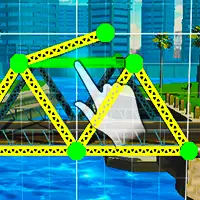
Bridge Design is a realistic building simulator game where engineering meets creativity as you shape strong structures and watch your ideas face real forces.How to play;
Start by observing the terrain carefully, because every span reacts differently to weight and distance. Think in terms of load paths rather than shapes, and decide where forces should flow. Use triangles whenever possible, since they distribute stress more efficiently than straight lines. Avoid placing long unsupported sections, as they become weak points under pressure. Symmetry often improves balance, but controlled asymmetry can solve specific structural problems. Pay close attention to how joints connect, because poor connections fail before the beams themselves. Spread weight across multiple supports instead of relying on a single column. Shorter segments working together are usually stronger than one long piece. Watch for visual signs of stress and reinforce those areas before moving on. Build gradually and refine as you go instead of locking yourself into a rigid plan. Imagine how forces travel downward and outward through the structure. A successful design comes from patience, calculation, and thinking like an engineer rather than guessing.Type;
Made with Unity WebGL. In supported browsers, the plug-in opens directly without asking.Screenshot;